 Tassengerby VSC VirtualifyMe
Taskable chat for personal groups and official workspaces.
Turn any message into accountable work. Tassenger keeps chat natural, then gives the important parts an owner, status, proof, and a review trail — so nothing important gets lost in the thread.
Turn chats into tasks.Owner, context, status, proof, review, and history stay findable after the chat moves on.
Chat is where work starts. Tassenger is where it stays accountable.
People already run shops, schools, farms, events, teams, departments, vendors, and families in chat. Tassenger keeps the conversation natural, then gives commitments a real place to live so they do not get buried.
- Personal chats, free groups, official groups, media, read receipts, push, and search foundations.
- Tasks stay visible with due today, overdue, blocked, review, ignored, and progress signals.
- Important work keeps the original message context, owner, status, proof, and review trail.
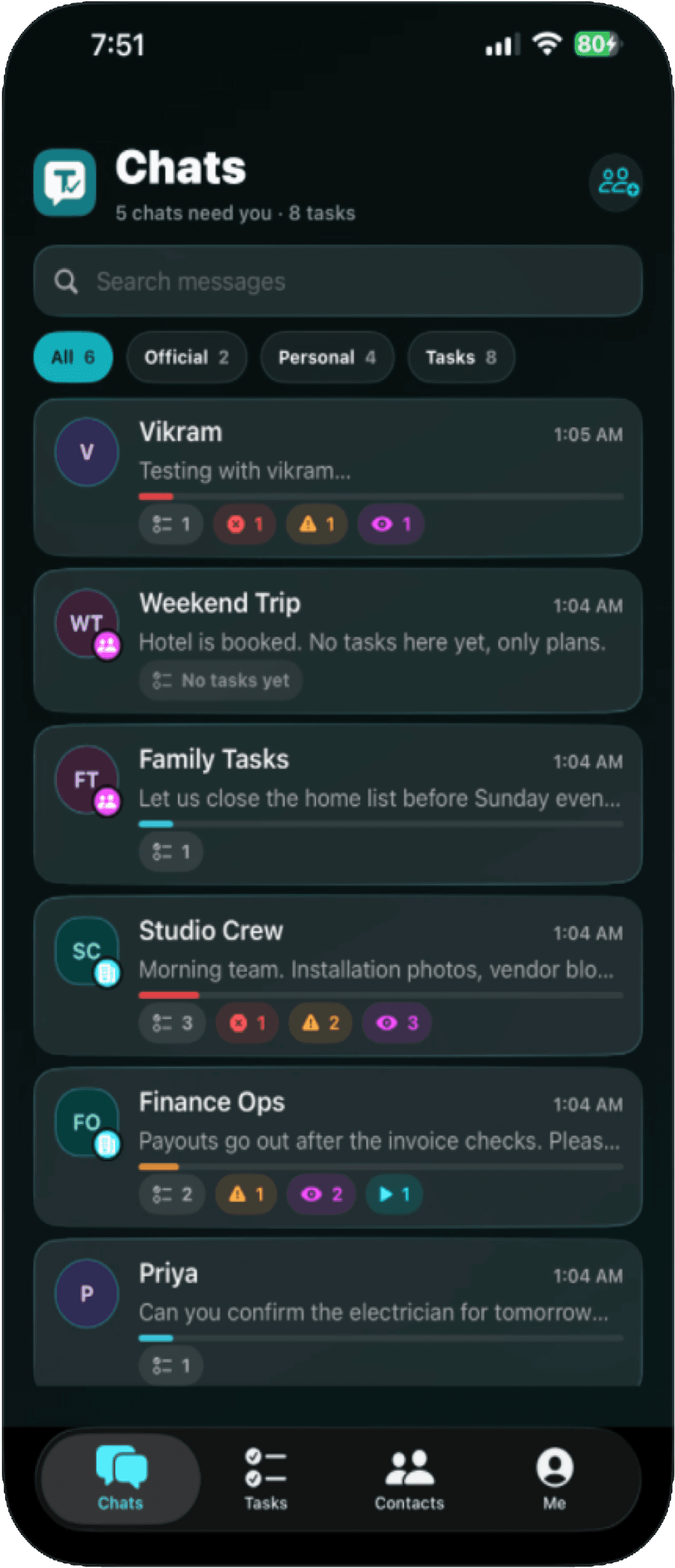
Every feature is built around one thing: visible responsibility.
Tassenger is not a chat app with a checklist bolted on. The Task is the core object across Personal and Official work.
Chat still feels familiar.
One-to-one chats, free groups, official groups, media, notifications, read receipts, and search foundations stay close to how people already coordinate.
Accountability starts from exact context.
A user turns the right message into a Task. No vague reminder, no silent decision, no responsibility detached from the original conversation.
Blocked, Do First, Review, In progress.
Tasks are organized by urgency and state so the next action is visible before another message pushes it away.
Due date, queue, priority, proof.
Official Tasks support explicit responsibility, priority, queueing, blockers, due changes, proof, reviewer flow, and audit-aware history.
Routine work becomes dependable.
Daily, weekly, monthly, quarterly, half-yearly, yearly, and custom intervals keep repeating responsibilities from becoming memory games.
Owners see health, not random chat.
Workload, completion, ignored work, blockers, proof outcomes, queue discipline, and score signals help owners understand where work stands.
Personal enough for home. Serious enough for operations.
One Task object. Two behaviors. That is the product discipline.
Personal mode
For family responsibilities, errands, trips, friends, and lightweight groups.
- Create Tasks without forcing every small responsibility into a corporate process.
- Receiver can mark done; creator can reopen when the work is not actually finished.
- Decline and reassignment support natural negotiation.
- Free group Tasks can support first-claim ownership for anyone-can-do work.
- No proof, no score, no approval chain when the context should stay light.
Official mode
For SMB teams, departments, vendors, guest collaborators, and work that needs a real record.
- Due date, priority, status, and responsible person make ownership explicit.
- Queue, blockers, due extension, and change requests keep operational work traceable.
- Proof and review support work that needs evidence before it is accepted.
- Reports, scoring, audit, roles, groups, and policies keep the system governed.
- WebApp setup gives organization owners control before daily work starts.
The WebApp is the Official control room.
Mobile is where daily work happens. The WebApp is where an organization prepares people, groups, org chart, calendar, policy defaults, activation, reports, and audit-aware administration.
Tassenger WebAppOfficial setup before activation.
LoginCurrent product screens, ready for launch.
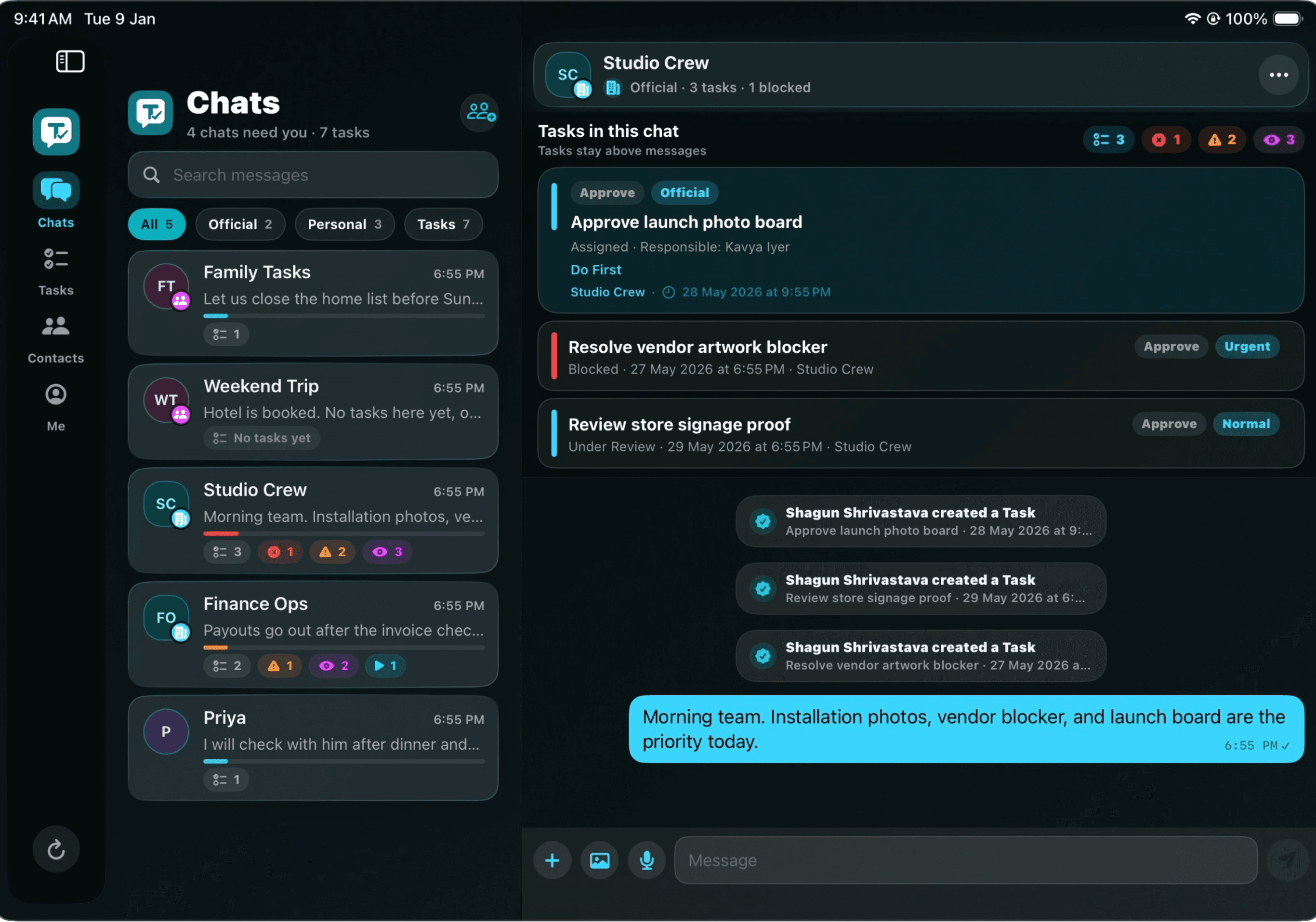
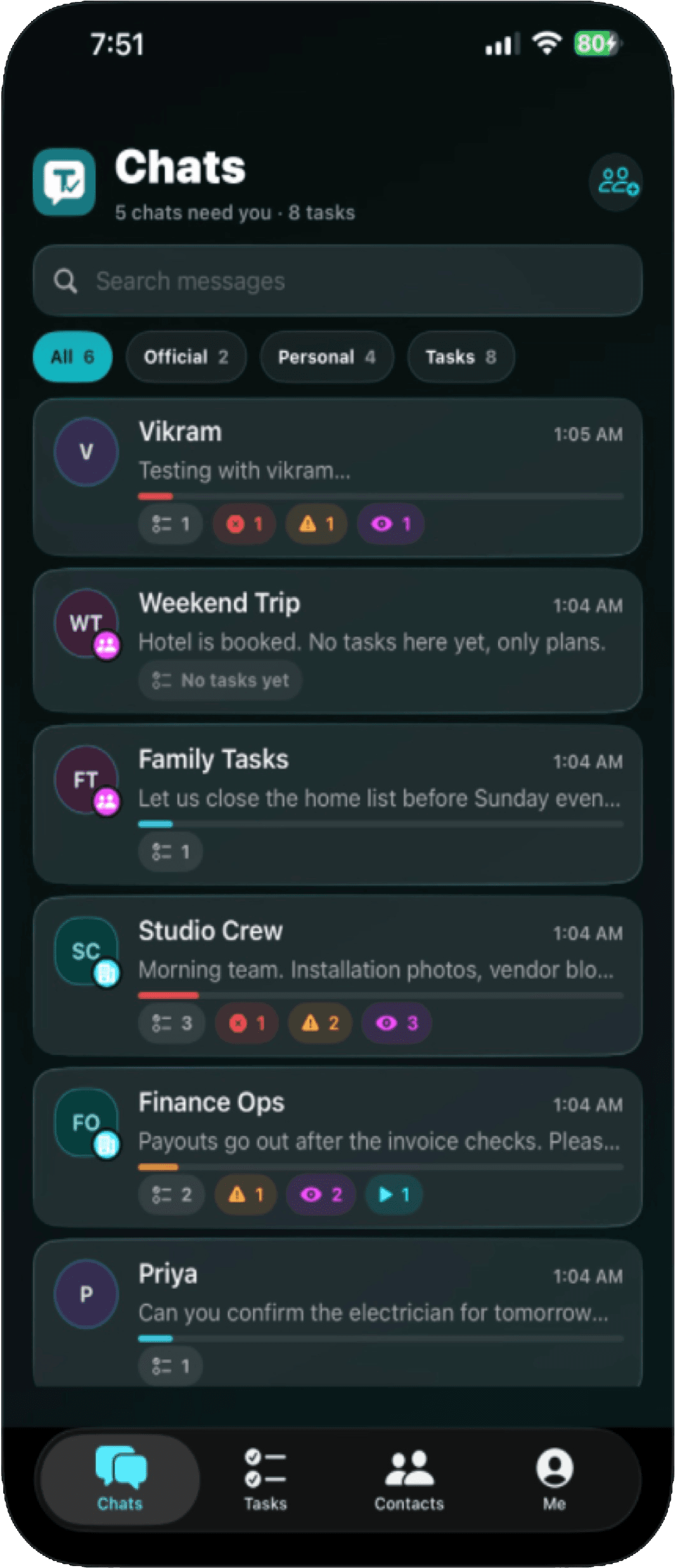
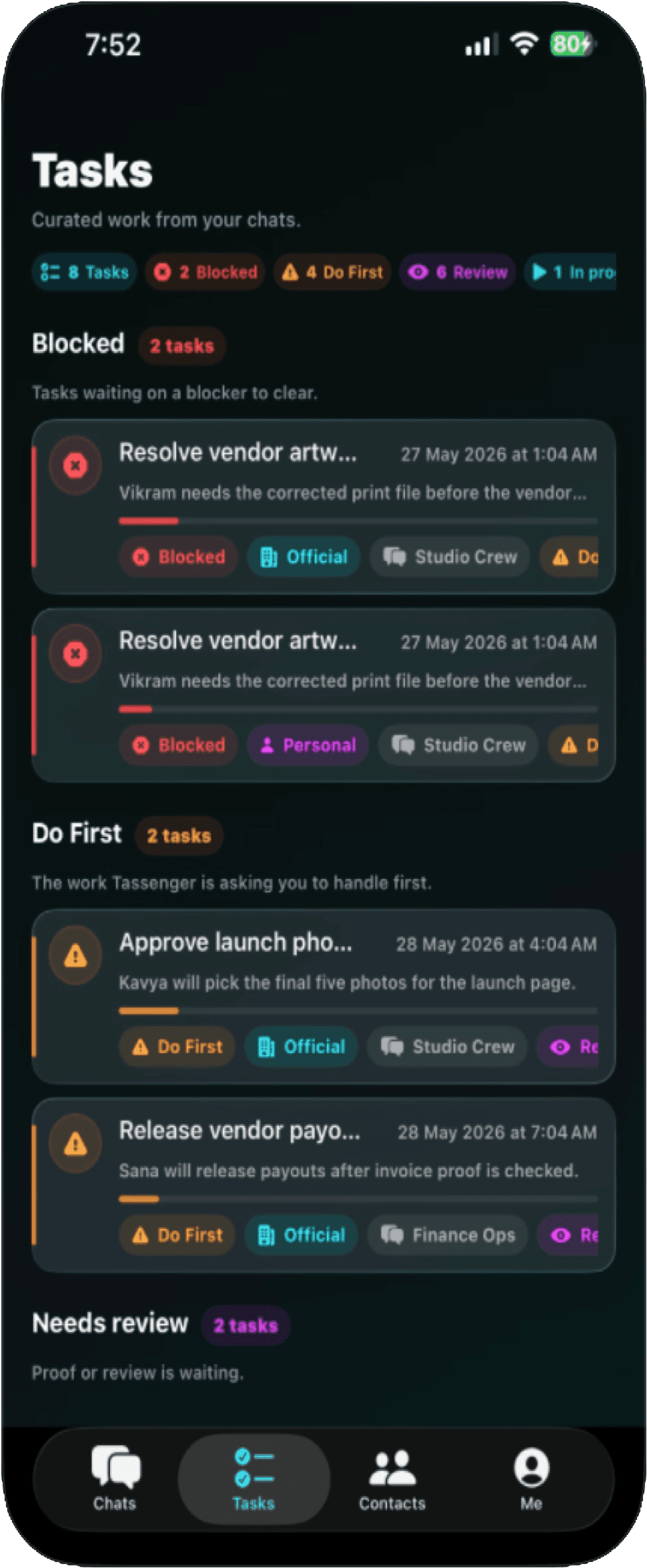
Phone and tablet screenshots show the actual product surfaces: chats, tasks, task detail, and wider workspace views.
Chats with Tasks above messages.
Conversations stay familiar while work created from them stays visible.
Personal tasks. Official accountability.
Blocked, Do First, Review, and In progress states make attention clear.
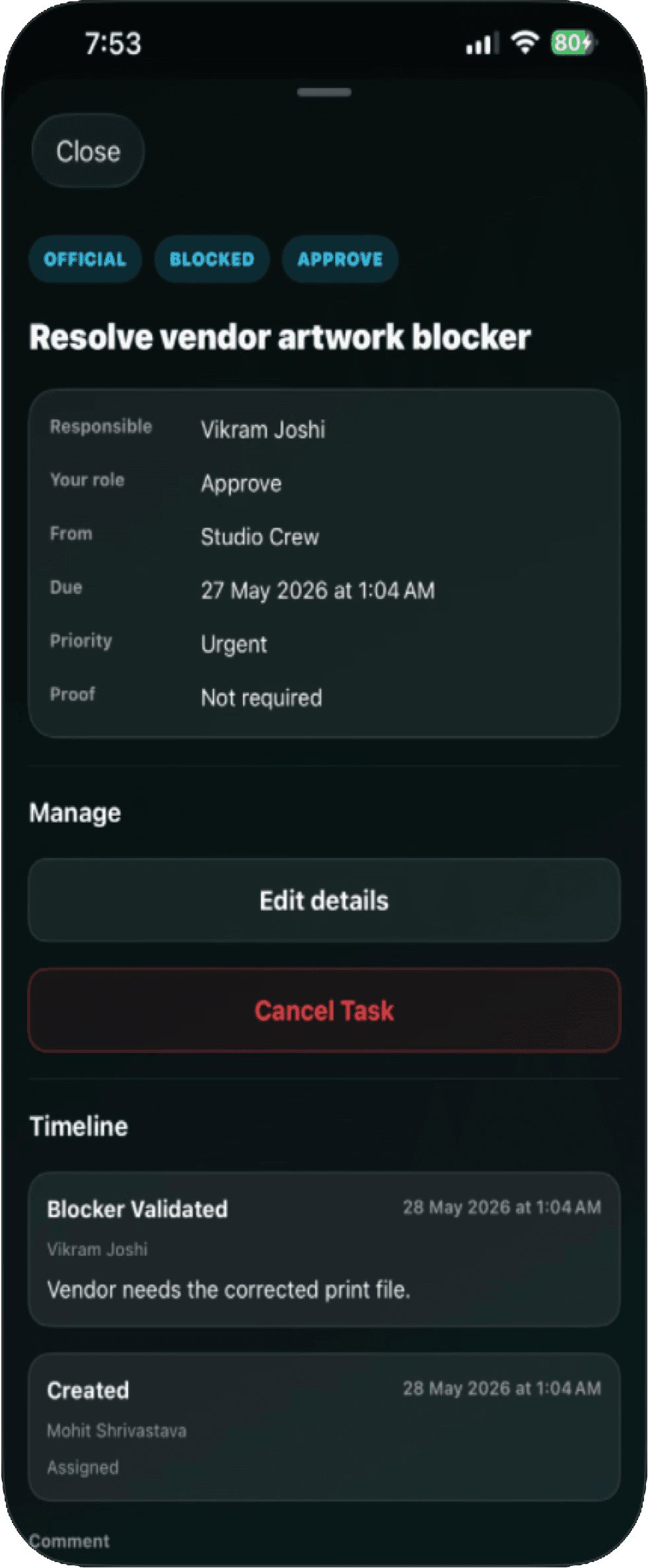
Turn chats into tasks.
Task detail keeps owner, status, context, proof, and review in one place.
Workspace conversations.
Tablet layouts give teams more room for chat, work context, and shared responsibility.
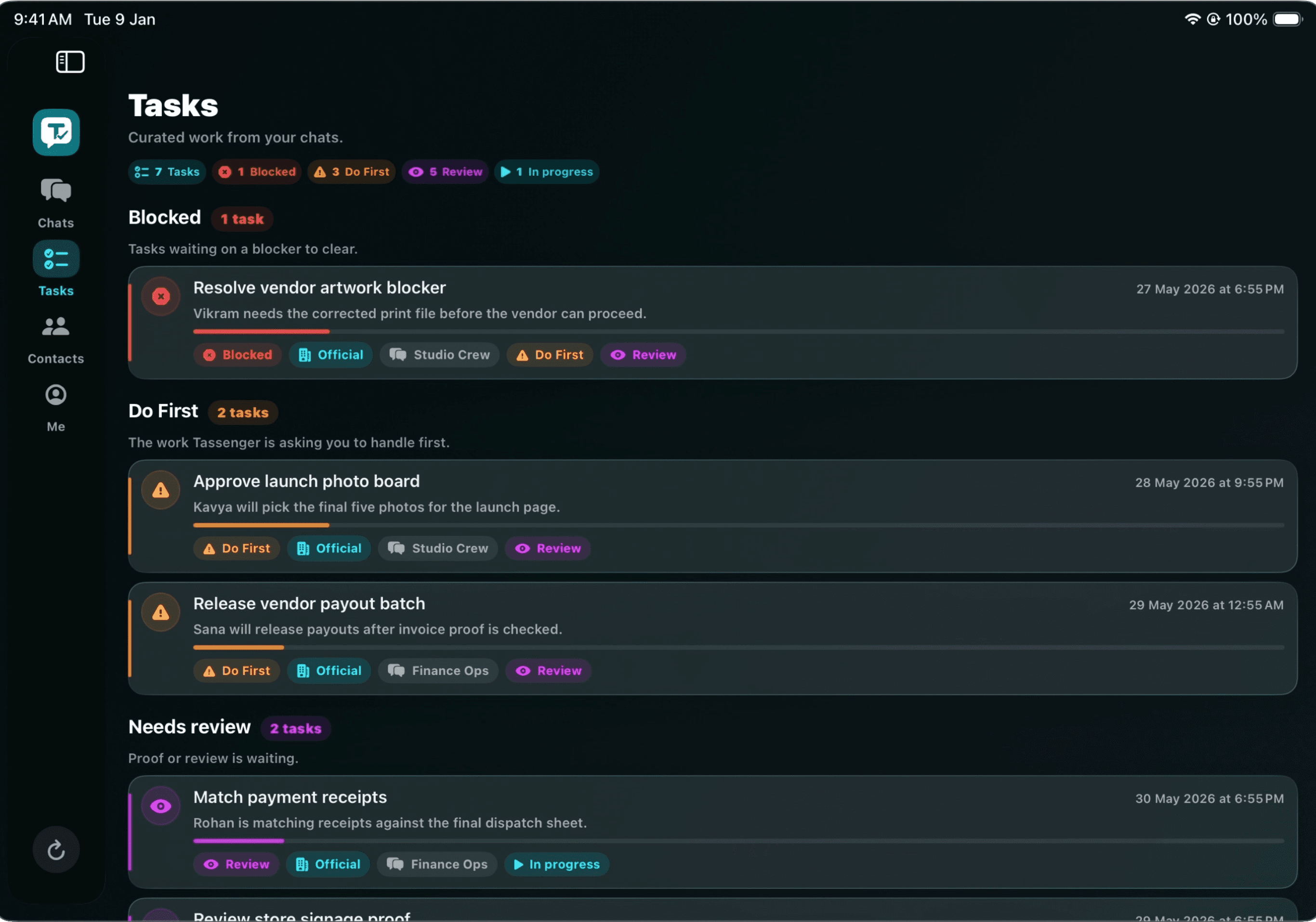
Task command center.
A wider task surface helps official work stay readable across queues and states.
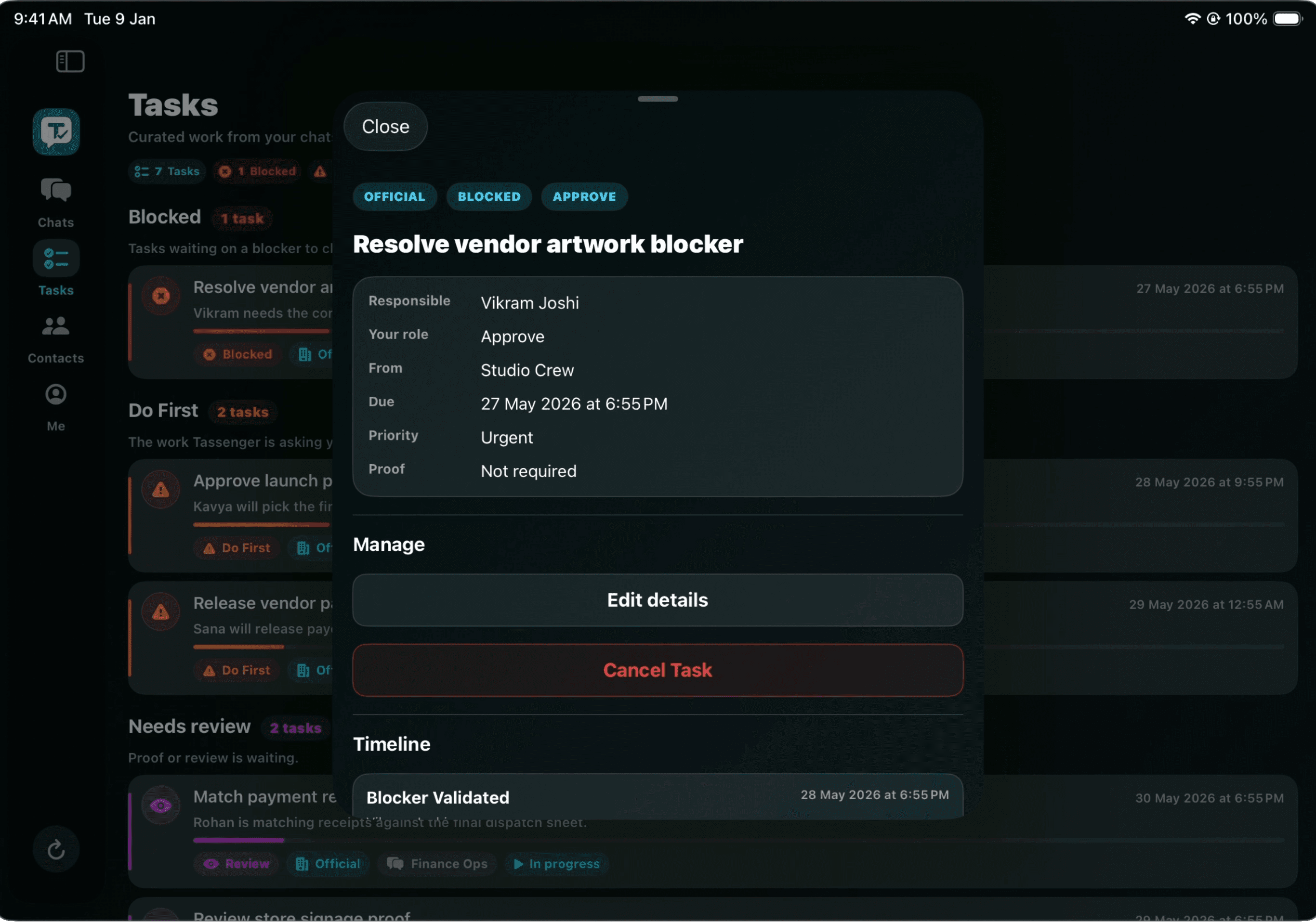
Detail that keeps work accountable.
The task view keeps decisions, messages, and next steps from getting buried.
Made for the places where work actually happens.
Tassenger is for people who already coordinate through messages and now need the work to become visible, assigned, reviewed, and finished.
Privacy and control are part of the product.
Personal and Official data stay separated. Group membership is the visibility boundary. Organization admins configure the ground rules without turning every private conversation into an open book. Support paths are scoped, deliberate, and documented.
Public review paths
Legal, support, and account deletion links are live.
Questions teams ask before trying Tassenger.
The simplest way to understand Tassenger is to start with one real conversation, turn one important message into a Task, and see whether the responsibility stays visible.
Is Tassenger another task manager or another chat app?
No. Tassenger starts where work already starts: inside conversations. Chat stays natural, but important messages can become Tasks with owner, context, due signal, status, proof, review, and history.
What is the difference between Personal and Official work?
Personal mode stays light for families, friends, trips, errands, and informal groups. Official mode adds organization rules, due dates, priorities, queues, blockers, proof, review, reports, scoring, audit signals, and role-aware control.
What is the Tassenger WebApp for?
The WebApp is the organization control room. Owners and admins use it to prepare people, roles, groups, org chart, calendar, policy defaults, activation, reports, and audit-friendly administration before daily work happens on mobile.
Where can I get Tassenger?
Tassenger is available on Google Play and the App Store. The WebApp login is available through the Tassenger admin entry for organization setup and official workspace administration.
Can VSC help set up an organization?
Yes. VSC can help an organization prepare its first workspace, people, groups, roles, permissions, task policy, and onboarding path so Tassenger starts with clean operating rules instead of becoming another unmanaged chat group.
Start with one real conversation. Turn one message into work.
Download Tassenger from Google Play or the App Store, open the WebApp for organization setup, or ask VSC to walk your team through the first workspace.